You bought a brand-new smartphone just a few weeks ago, opened the settings screen, and noticed the battery health maximum capacity has already dropped from 100 percent to 99 percent. Panic sets in. You start wondering if you received a defective unit, if your charging habits are ruined, or if the device is already on its way to an early grave. This is the single most common battery panic online, causing endless worry for new phone owners.
Your phone is not dying, and your battery is not defective. This initial drop is completely normal physical behavior. Battery health is a calculated software estimate, not a perfect real-time countdown, and the first drop from 100 percent to 99 percent is simply the software catching up with the reality of chemical degradation.
Why Your Battery Health Dropped to 99 Percent So Quickly
To understand why this happens, you have to look at how manufacturers build and program smartphones.
The 100 Percent Display Myth
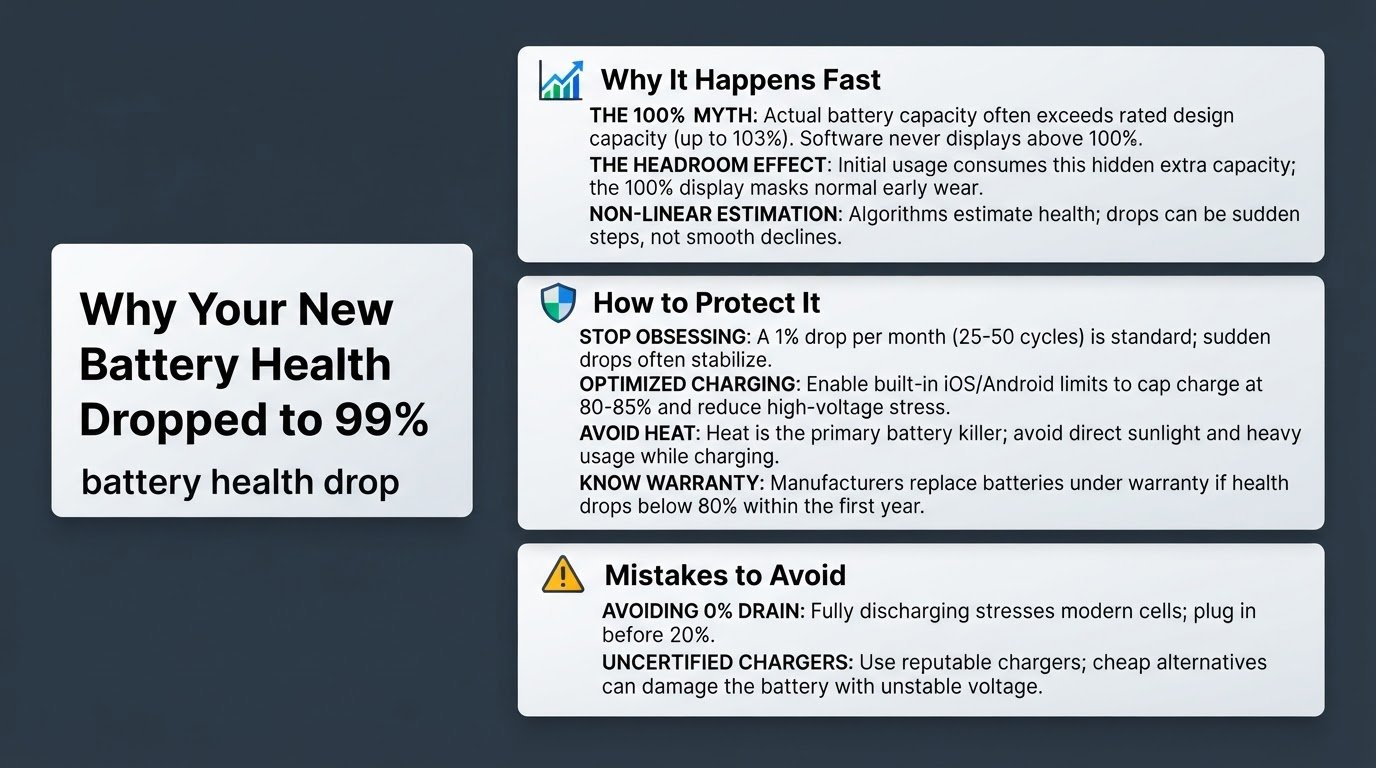
When a phone is manufactured, its battery capacity is given an official rated design capacity. However, because chemical manufacturing is not perfectly precise, actual battery capacities vary. Many phones ship with an actual battery capacity that exceeds the official rated capacity, sometimes reaching up to 103 percent of the advertised limit.
Because phone software is programmed to never show a number higher than 100 percent, this extra capacity is hidden.
The Headroom Effect
During your first few weeks of ownership, your phone uses up this hidden headroom capacity. Even though chemical degradation starts from your very first charge cycle, your settings menu will continue to display 100 percent battery health as long as the actual capacity remains above the official rated limit.
Once the battery capacity falls even slightly below that official rated design capacity, the display finally drops to 99 percent. This makes it look like your battery degraded 1 percent in a single week, when in reality, you simply used up the extra buffer that was masking normal wear.
Non-Linear Estimation
Your phone does not have a physical fuel gauge inside the battery. Instead, it uses complex algorithms to estimate health based on voltage, temperature, and usage history. Because of this, battery health often drops in sudden steps rather than a smooth, linear decline. Your phone might stay at 99 percent for months, then suddenly drop to 96 percent overnight. This is just the algorithm recalibrating, not a sudden hardware failure.
How to Manage and Protect Your Battery Health
Now that you know your phone is not broken, you can take a few practical, stress-free steps to ensure your battery lasts as long as possible.
1. Stop Obsessing Over the Percentage
The absolute best thing you can do for your peace of mind is to stop checking the battery health menu. According to official Apple Support documentation, a normal battery is designed to retain up to 80 percent of its original capacity at 500 complete charge cycles under normal operating conditions.
A drop of about 1 percent per month, or every 25 to 50 charge cycles, is standard chemical behavior. Many users on Apple Support Community discussions report sudden early drops that eventually plateau and stabilize for a year or more.
2. Enable Optimized Charging Limits
Modern smartphones include smart charging features designed to reduce the amount of time your battery spends sitting at high voltage, which accelerates chemical aging.
- On iOS: Go to Settings, select Battery, tap Battery Health & Charging, and enable Optimized Battery Charging or set an 80 percent limit.
- On Android: Go to Settings, select Battery, and turn on Battery Protection or Protect Battery to cap the charge at 80 percent or 85 percent.
Keeping your battery at 100 percent capacity for hours on end causes high-voltage stress. If you regularly charge your device overnight, utilizing these limits is highly beneficial. You can read more about how overnight charging affects your device in our detailed guide on Is Charging Your Phone Overnight Actually Bad?.
3. Avoid Extreme Heat
Heat is the absolute primary killer of lithium-ion batteries. While cold temperatures can temporarily reduce battery life, high temperatures cause permanent, irreversible damage to the internal chemistry.
- Avoid leaving your phone on the car dashboard or in direct sunlight, especially in hot tropical climates.
- Remove thick, heavy protective cases while charging if you notice the phone getting warm to the touch.
- Avoid heavy gaming, video editing, or GPS navigation while the phone is plugged in and charging, as this dual-heat source quickly degrades the battery.
4. Monitor Warranty Thresholds
Instead of worrying about minor drops, focus on the official warranty limits. Smartphone manufacturers build a safety net into their warranties. If your battery health drops below 80 percent within your first year of ownership under normal use, the manufacturer will typically replace the battery for free under warranty, as this indicates a genuine manufacturing defect. If your battery is at 90 percent or higher after a year, it is performing exactly as intended.
Common Battery Care Mistakes to Avoid
Many users try to preserve their battery health using outdated advice, which often does more harm than good.
- Avoid draining your battery to 0 percent: Letting your phone completely die to recalibrate the battery sensor is a relic of older battery technologies. Forcing a modern lithium-ion battery to 0 percent puts immense stress on the cells and accelerates degradation. Try to plug in your phone before it drops below 20 percent.
- Avoid using cheap, uncertified chargers: Fast charging is safe when using chargers from reputable brands that communicate properly with your phone's power management chip. Cheap, uncertified chargers can deliver unstable voltage, generating excess heat and damaging the battery.
Keep your phone cool, use certified chargers, enable your built-in battery optimization settings, and let the software handle the rest.