Staring at a laptop spec sheet or custom PC builder with a dozen different processor options can feel completely overwhelming. You want to buy a computer that will remain fast for the next four years, but the endless debate between Intel and AMD makes it hard to know which chip actually fits your daily routine.
The choice between Intel and AMD in 2026 comes down to a clear division of labor. If your priority is gaming or long-lasting laptop battery life, AMD is the superior choice. If your daily work involves heavy multitasking, office productivity, or professional video editing, Intel offers the better hardware acceleration and raw processing design for those tasks.
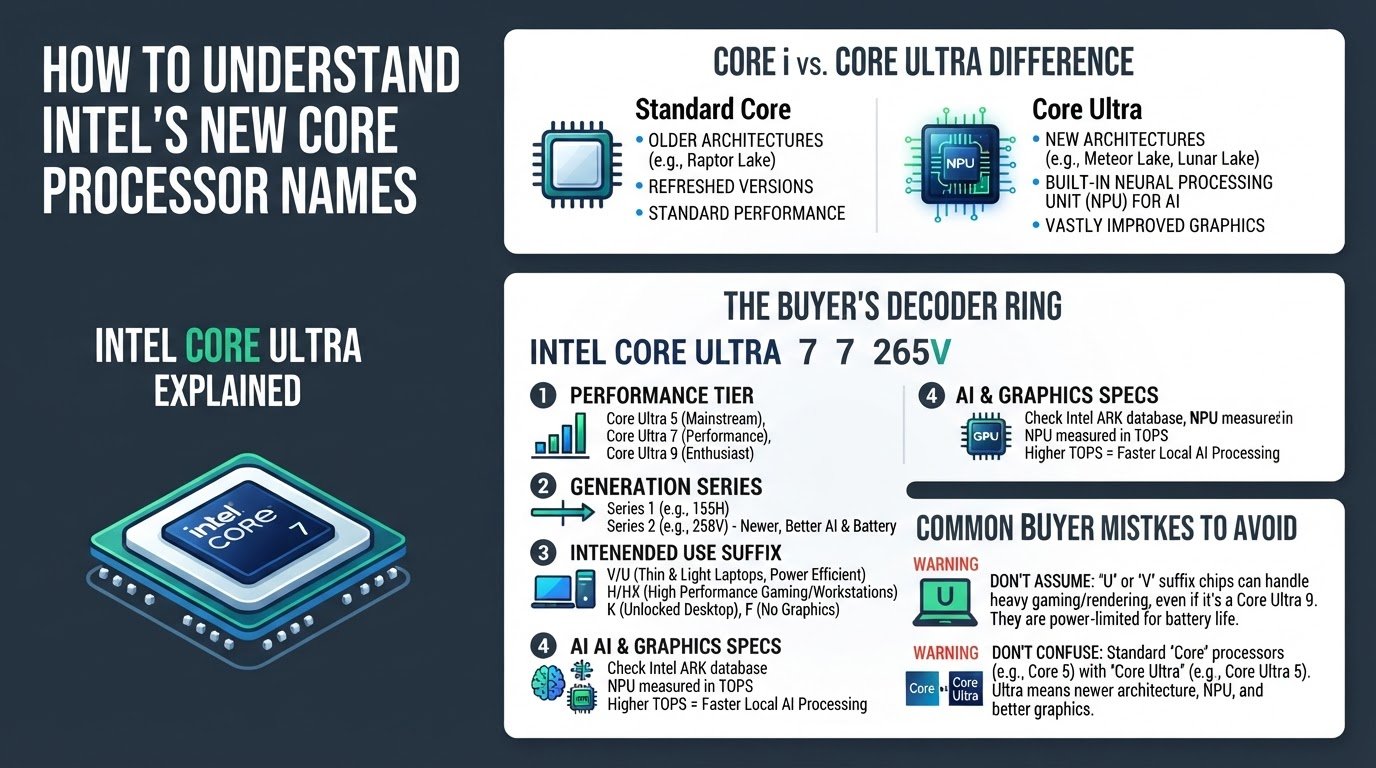
To make the right choice, you must first look past the common myth that higher core counts and clock speeds on a spec sheet automatically translate to faster real-world performance. Modern processors are highly specialized. If you are confused by the latest model numbers, you can learn how to understand Intel's new Core Ultra processor names or read our guide on how to read AMD Ryzen CPU names like a pro before making a purchase.
Here is a practical, step-by-step roadmap to matching a processor to your specific budget and daily workflow.
1. Identify Your Primary Workload
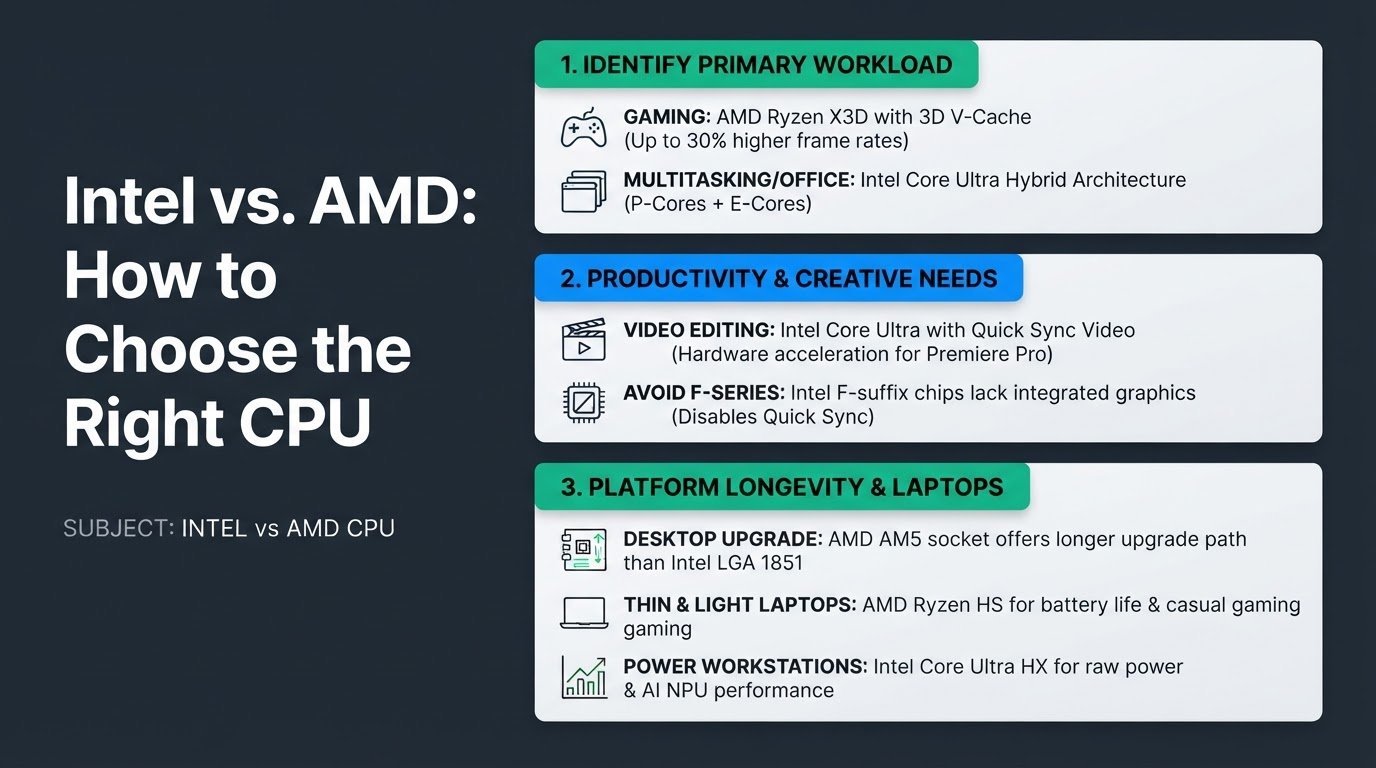
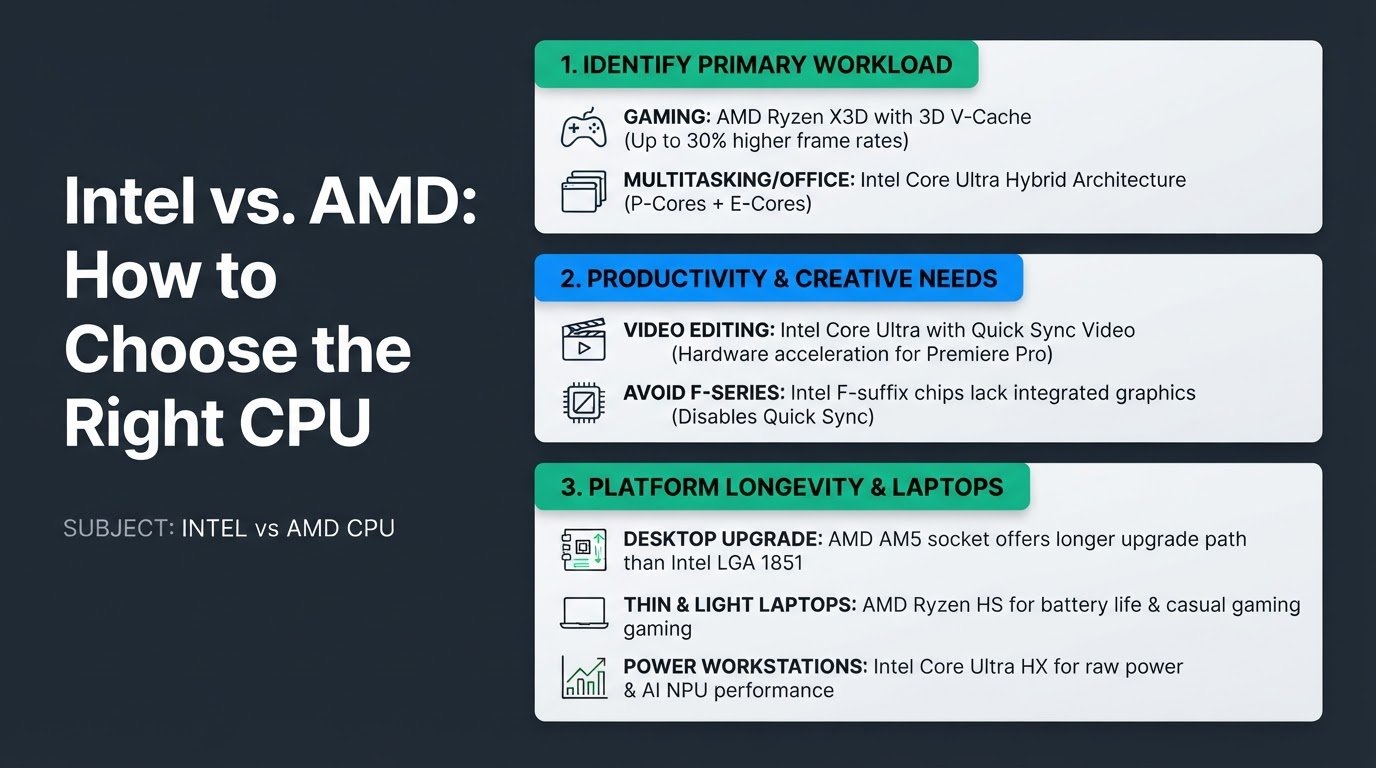
If your daily routine is 80 percent gaming, choose AMD's X3D lineup, such as the Ryzen 7 9800X3D. This processor family uses a design called 3D V-Cache, which stacks physical memory directly on top of the processor. This design bypasses system memory bottlenecks, allowing the chip to process game data much faster.
According to gaming benchmarks compiled by ArsenalPC, the Ryzen 7 9800X3D delivers up to 30 percent higher frame rates than Intel's flagship Core Ultra 9 285K. However, this stacked cache design does not scale proportionally in heavily threaded productivity tasks.
If you rarely play games and instead spend your day running multiple office applications, browser tabs, and background tools, Intel's hybrid architecture is more effective. Intel uses a mix of high-performance P-cores and energy-efficient E-cores to handle background tasks without slowing down your active window. This hybrid design excels at multitasking, though its gaming performance is often constrained by complex thread scheduling and latency overhead, as detailed in the Tom's Hardware CPU analysis.
2. Match Your Creative and Productivity Needs
If you edit 4K video in Adobe Premiere Pro, prioritize Intel Core Ultra desktop processors, such as the Core Ultra 7 270K Plus. These processors feature an integrated graphics chip that includes Intel Quick Sync, a dedicated hardware core that significantly accelerates video timeline scrubbing and file encoding.
A common mistake is buying an Intel F-series processor (such as the Core i7-14700KF or Core Ultra models ending in F). The F-suffix indicates that the integrated graphics chip is physically disabled. Buying an F-series chip means you completely lose Intel Quick Sync hardware acceleration, forcing your dedicated graphics card to do all the heavy lifting and slowing down your render times.
For AMD users, the Ryzen series handles video editing well through raw processing power, but it lacks a direct equivalent to Quick Sync for certain video formats. On the plus side, AMD processors are highly power-efficient. A common mistake is overspending on a high-end liquid cooler for an AMD X3D processor, when its low power draw allows it to run optimally on a basic, affordable air cooler.
3. Evaluate Long-Term Platform Longevity
If you are building or buying a desktop PC, consider how long you want to keep your motherboard. Choosing AMD's AM5 socket platform is the best path if you plan to upgrade your CPU in the next 3 to 4 years without buying a new motherboard. AMD has a history of supporting its physical sockets across multiple chip generations.
Intel's LGA 1851 socket has a much shorter guaranteed upgrade path. When Intel releases its next generation of desktop processors, you will likely need to purchase an entirely new motherboard to accommodate the new chip. For users who prefer to swap out individual components over time, AMD offers a much lower total cost of ownership, as explained in Newegg's platform comparison.
4. Optimize Your Laptop Selection
When shopping for a laptop, the performance dynamics change. You cannot upgrade a laptop processor, so your choice at checkout is permanent.
Select AMD Ryzen HS processors for thin and light laptops that require long battery life and strong casual gaming performance. Under active use, AMD's mobile architecture manages power consumption more efficiently, keeping the laptop cooler and extending battery runtimes.
Choose Intel Core Ultra HX processors if you need maximum raw power for a portable workstation. According to mobile hardware assessments by adreamertech, Intel's Core Ultra series focuses heavily on AI NPU (Neural Processing Unit) efficiency and single-thread bursts. This makes them ideal for short, intensive tasks and AI-assisted software, though they tend to drain laptop batteries faster under sustained heavy workloads.
5. Configure BIOS Power Limits for Out-of-Box Stability
Whether you choose an Intel Arrow Lake or an AMD Zen 5 desktop chip, your motherboard's default settings may push too much voltage into the processor to win benchmark tests. This can lead to high temperatures and system crashes.
To ensure stable performance without thermal throttling, restart your computer, press the Delete or F2 key to enter your BIOS, and enable the official manufacturer power profiles. For AMD, you can enable the official 105W TDP mode for chips like the Ryzen 7 9700X. For Intel, select the "Intel Baseline Profile" rather than the motherboard manufacturer's unlimited power profile. This simple adjustment keeps your system quiet, cool, and stable for years to come.