

You are looking at a new laptop online, trying to decipher a string of letters and numbers like Intel Core Ultra 7 258V or Intel Core Ultra 5 125H. For years, the Core i3, i5, i7, and i9 naming system made basic sense, but Intel has completely changed its branding rules. This shift leaves many buyers wondering if they are paying for a cutting-edge processor or just a rebranded older chip.
The direct verdict is simple: Core Ultra is not just a marketing gimmick, but it does require careful reading. Standard Core processors (like a Core 5) use older, refreshed architectures, while Core Ultra processors (like a Core Ultra 5) feature completely new architectures with built-in Neural Processing Units (NPUs) for AI tasks and vastly improved graphics. However, a higher tier number does not automatically mean faster performance. A Core Ultra 5 built for high-power gaming will easily outperform a Core Ultra 9 designed for a thin, battery-saving laptop.
The Core i vs. Core Ultra Difference
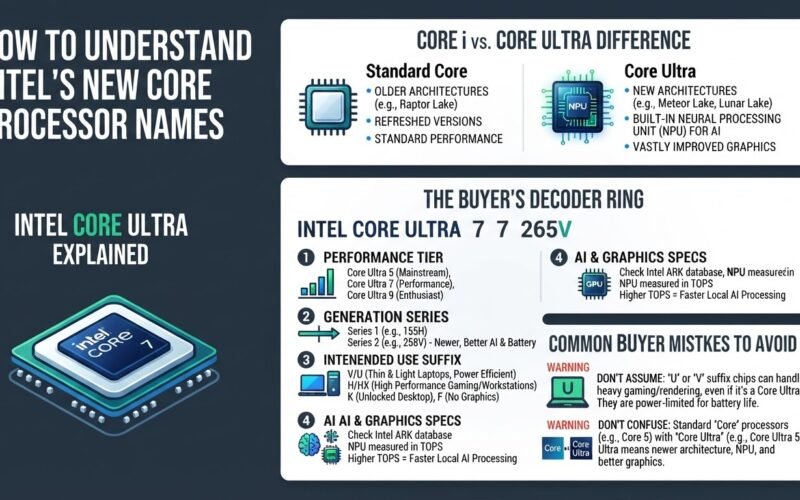
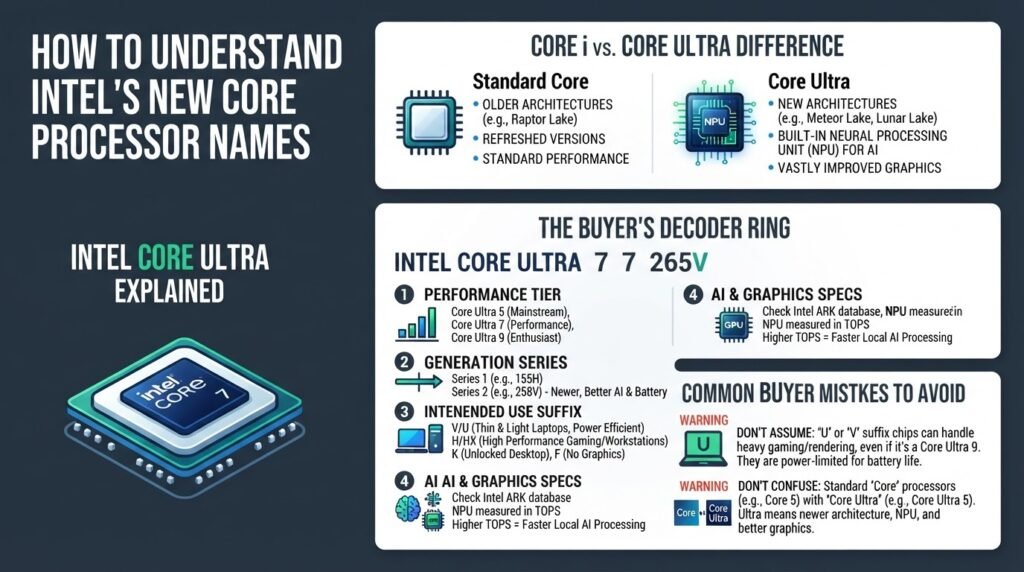
To understand what you are buying, you must first separate standard Core chips from Core Ultra chips. Standard Core processors, such as the Core 5 or Core 7, are built on older architectures like Raptor Lake. These are refreshed versions of previous generations, offering stable performance but lacking the latest efficiency and graphics upgrades.
In contrast, according to Intel’s official processor guide, the Core Ultra brand represents Intel’s newest architectures, such as Meteor Lake (Series 1) and Lunar Lake or Arrow Lake (Series 2). These processors include a dedicated Neural Processing Unit (NPU), which is a specialized physical block on the chip designed to handle AI tasks, such as background blurring in video calls or on-device voice recognition, without draining your battery. They also feature upgraded integrated graphics, making them much better suited for casual gaming and video editing without a dedicated graphics card.
If you are upgrading from an older machine and planning to recycle your previous computer, make sure you protect your data first. You can read about secure disposal in our guide on Is It Safe to Drop Your Old Laptop in a Retail Recycling Bin? before making your next purchase.
The Buyer’s Decoder Ring: How to Read the New Names
To avoid overpaying for power you do not need, you can decode any new Intel processor by breaking its name down into four distinct parts.
1. Identify the Performance Tier
Locate the single digit directly after the words “Core Ultra” (5, 7, or 9). This number tells you the general target market for the processor:
- Core Ultra 5: Designed for mainstream users. This tier is ideal for office tasks, web browsing, streaming, and light multitasking.
- Core Ultra 7: Built for heavy multitasking, content creation, photo editing, and casual gaming.
- Core Ultra 9: Reserved for enthusiast-level gaming, heavy 3D rendering, and intense developer workloads.
2. Determine the Generation Series
Look at the first digit of the three-digit number that follows the tier. For example, in the processor name Core Ultra 7 265K, the number to focus on is the “2” at the start of “265”.
- Series 1 (Meteor Lake): If the three-digit number starts with a 1 (such as 155H), it belongs to the first generation of Ultra chips.
- Series 2 (Lunar Lake or Arrow Lake): If the number starts with a 2 (such as 258V or 265K), it belongs to the second, newer generation, which offers significantly better battery life and faster AI processing. Detailed breakdowns of these series generations can be found on Global American’s Intel naming guide.
3. Decode the Suffix for Intended Use
The letter at the very end of the processor name is the most critical piece of information because it dictates how much power the chip is allowed to draw. As outlined by FlowUp’s hardware analysis, these suffixes tell you exactly what kind of device the chip belongs in:
- V (Laptops): Indicates a Lunar Lake processor with system memory (RAM) packaged directly onto the chip itself. These are highly power-efficient and designed for thin, light laptops with long battery life.
- U (Laptops): Indicates ultra-low power consumption. These are built for thin laptops where battery life is prioritized over raw speed.
- H or HX (Laptops): Indicates high performance. These chips draw more power and are designed for gaming laptops or mobile workstations.
- K (Desktops): Means the processor is unlocked, allowing users to overclock it for higher performance.
- F (Desktops): Means the processor lacks integrated graphics, requiring you to install a dedicated graphics card to get a display output.
If you are configuring a new machine for remote employment, understanding these performance tiers can help you choose a system that handles your corporate software smoothly. For more tips on managing your professional devices, check out our article on Can Your Boss See Your Personal Accounts on a Work Laptop?.
4. Verify NPU and Graphics Specifications
If you need a laptop specifically for AI tools or advanced offline processing, check the official Intel ARK database to confirm the chip’s NPU rating. This is measured in TOPS (Trillions of Operations Per Second). Series 2 chips (Lunar Lake) offer up to 48 TOPS on the NPU alone, meeting the hardware requirements for advanced local AI features, whereas Series 1 chips offer much lower AI performance.
Common Buyer Mistakes to Avoid
The biggest mistake buyers make is purchasing a Core Ultra 9 laptop with a “U” or “V” suffix expecting desktop-class gaming performance. A Core Ultra 9 288V is an incredibly efficient chip, but because it is limited to low power draw to save battery, a Core Ultra 5 245HX or a Core Ultra 7 155H will easily outperform it in sustained gaming or video rendering tasks.
Another common error is buying a standard “Core” processor (such as a Core 5 120U) under the assumption that it is the same as a “Core Ultra” processor. By doing this, you miss out on the newer architecture, the dedicated NPU, and the significantly faster integrated graphics of the Ultra line. Always look for the word “Ultra” on the spec sheet if you want the latest technology.
