Your browser suddenly flashes a bright red warning screen reading "Your connection is not private" or "Certificate Invalid" when you try to access a trusted Indian utility, government portal, or banking website. This disruptive error is currently blocking millions of users across India and globally. The issue does not stem from a virus on your device, nor does it mean the website has been directly compromised by hackers.
Instead, major web browsers including Google Chrome, Mozilla Firefox, and Apple Safari have systematically blocked and distrusted SSL/TLS certificates issued by eMudhra, a highly prominent Indian root certificate authority. This action follows a critical security incident that forced the company to voluntarily withdraw from the global web-browser certificate business.
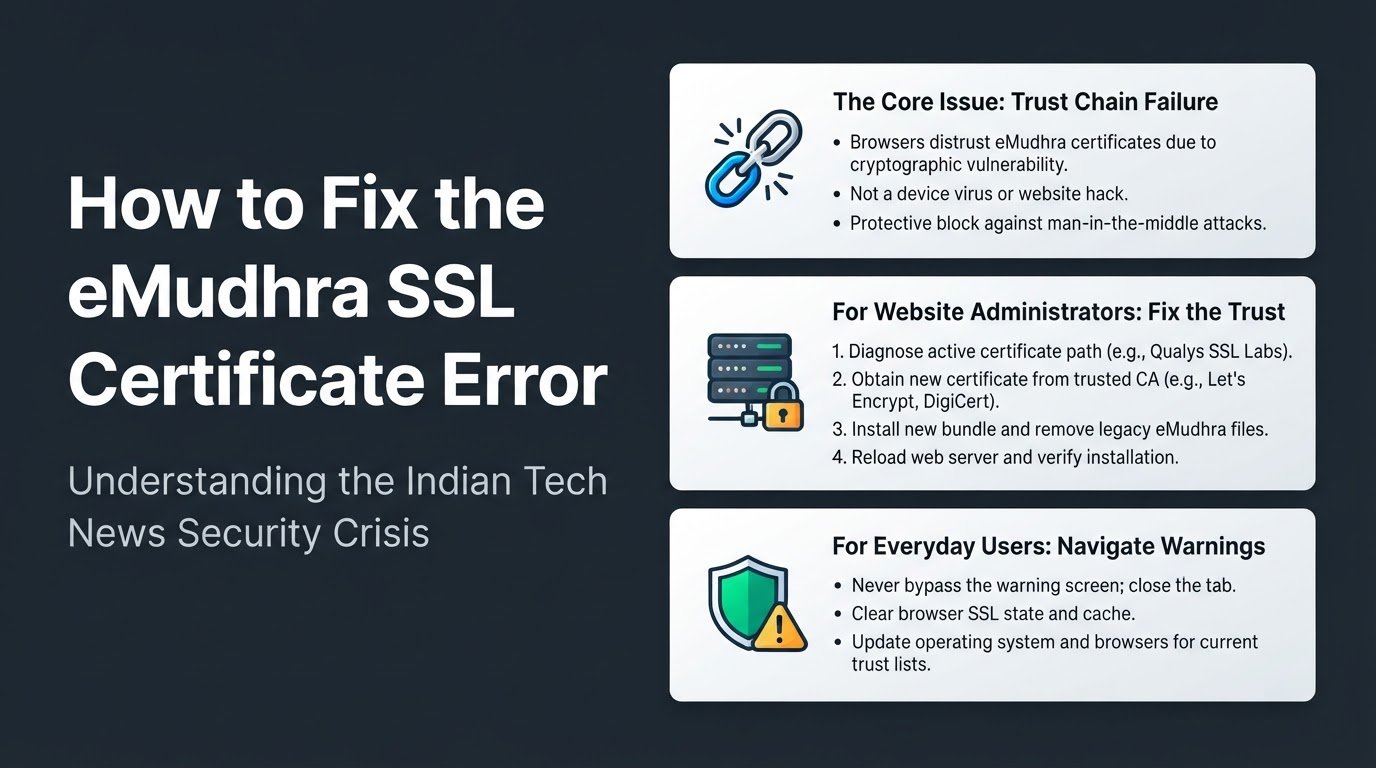
The root cause of this sudden blackout is a major cryptographic vulnerability. Security researchers discovered weak private keys in eight of eMudhra's intermediate certificates, which are the digital links that verify a website's identity. This cryptographic weakness is highly dangerous because it allows malicious actors to forge HTTPS certificates, impersonate legitimate websites, and execute man-in-the-middle attacks to intercept, read, or modify your private data. According to cybersecurity reports, the company opted to exit the public certificate market to contain the fallout.
This security crisis is a major focal point in India tech news, highlighting the critical need for robust digital infrastructure. As users navigate these changes, understanding the underlying technology helps separate security facts from common myths.
The Difference Between a System Hack and a Trust Chain Failure
When a browser blocks a website with a certificate error, many users immediately assume their personal computer or smartphone has been infected with malware. Others believe the website itself has experienced a database breach.
In reality, this is a trust chain failure. An SSL/TLS certificate acts as a digital passport for a website, ensuring that the data traveling between your browser and the website's server is encrypted. These certificates are issued by trusted third parties called Certificate Authorities.
When a Certificate Authority suffers a security incident involving weak cryptographic keys, web browsers lose confidence in every certificate that authority has signed. To protect your passwords, credit card details, and personal information, browsers preemptively block access to those sites. The block is a protective barrier, not an active infection.
For those tracking broader digital trends and Indian startups, this event emphasizes that cybersecurity compliance is just as vital as rapid software development.
How Website Administrators Can Resolve the Trust Issue
If you manage a website that relies on eMudhra certificates, your visitors are currently locked out by modern browsers. You must migrate your security infrastructure immediately to restore access.
- Identify your active certificate path: Use an online diagnostic tool such as Qualys SSL Labs to analyze your domain. Enter your URL and check the certification path section to confirm if eMudhra is listed as the root or intermediate issuer.
- Obtain a replacement certificate: Generate a new Certificate Signing Request from your web server. Purchase or request a new SSL/TLS certificate from an unaffected, globally trusted Certificate Authority such as Let's Encrypt for free automated certificates, or DigiCert for commercial options.
- Install the new files and clean the bundle: Upload the new certificate to your web server. You must completely remove the legacy eMudhra intermediate certificates from your server's certificate bundle configuration file to prevent browsers from reading the old, untrusted chain.
- Reload and verify the installation: Force a configuration reload on your web server, such as Nginx or Apache, to apply the changes without downtime. Run a fresh SSL Labs scan to verify that the new trust chain is fully secure and free of untrusted roots.
How Everyday Users Can Navigate Certificate Warnings
For students, remote employees, and everyday consumers using tech today, encountering these warnings can disrupt your daily routine. Follow these steps to stay secure.
- Never bypass the warning screen: When your browser displays a certificate error, do not click advanced settings to select "Proceed anyway." Bypassing this shield exposes your connection to interception, allowing attackers to steal your login credentials or payment details. Close the tab immediately.
- Clear your browser's SSL state and cache: Sometimes, a website administrator has already fixed the certificate, but your browser is still remembering the old, broken version. In Windows, search for "Internet Options" in the Start menu, go to the Content tab, and click "Clear SSL State." On mobile devices or Macs, clear your browser's cache and cookies to force a fresh connection request.
- Update your operating system and browsers: Web browsers and operating systems maintain local lists of trusted certificate authorities. Ensure your Google Chrome, Apple Safari, Mozilla Firefox, or Microsoft Edge browsers are updated to the latest versions so your device receives the most current certificate revocation lists.
As digital systems adapt to these security updates, keeping your software current remains your strongest defense against infrastructure vulnerabilities.