You have submitted your bid for a highly anticipated tech IPO on your broker app, but the clock is ticking toward the 5:00 PM IST deadline and the UPI payment mandate notification is nowhere to be found. Your broker app says "submitted," but your bank account shows no hold on the funds. You are left wondering if your bid is officially registered or if you have missed out on the allotment entirely.
The direct reality is that submitting an IPO bid on a broker app does not complete your application. The bid is merely registered on the broker's platform. Your application is legally void unless the UPI mandate is approved and the funds are successfully blocked, also known as a lien mark, before the strict 5:00 PM IST deadline on the closing day. When high-profile tech IPOs open, systemic network congestion on the National Payments Corporation of India (NPCI) UPI switch and Self Certified Syndicate Banks (SCSBs) frequently delays these mandate notifications, leaving thousands of retail investors stranded.
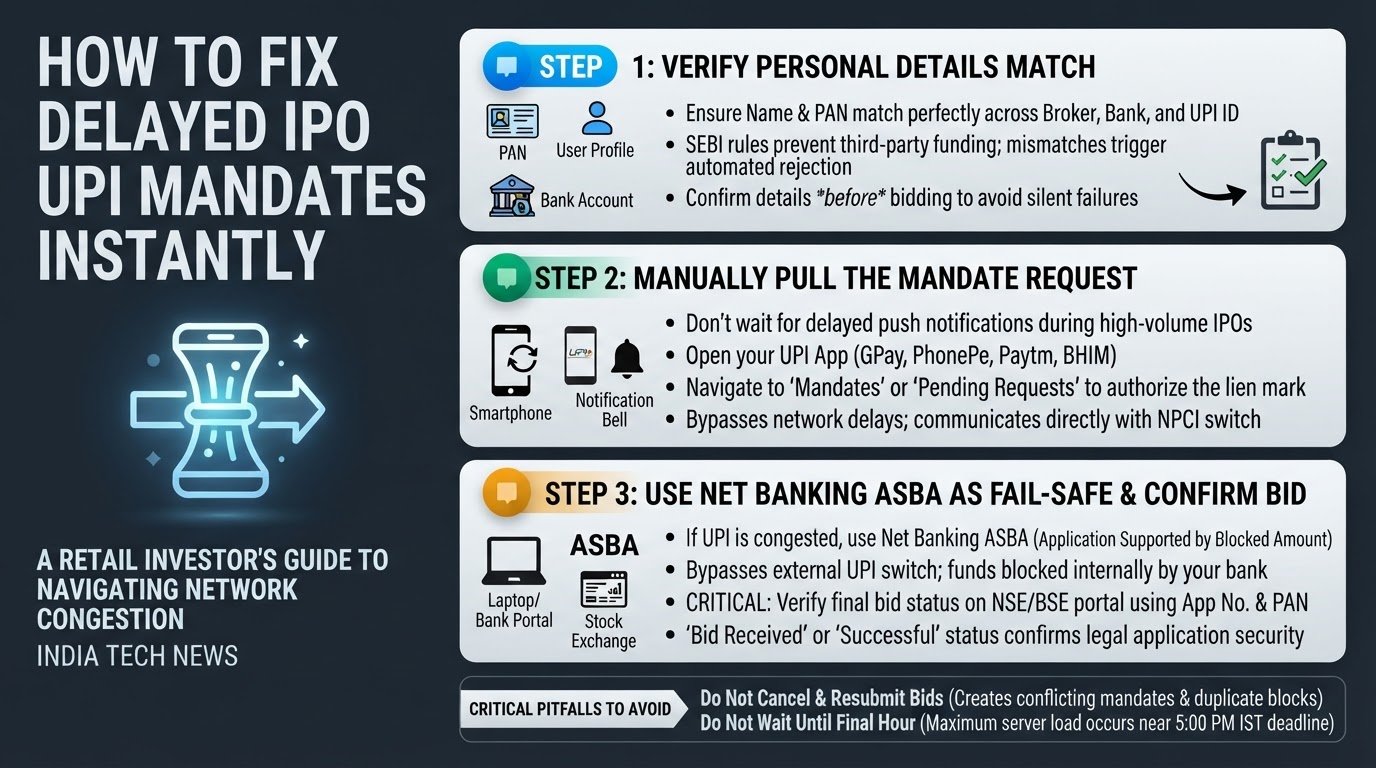
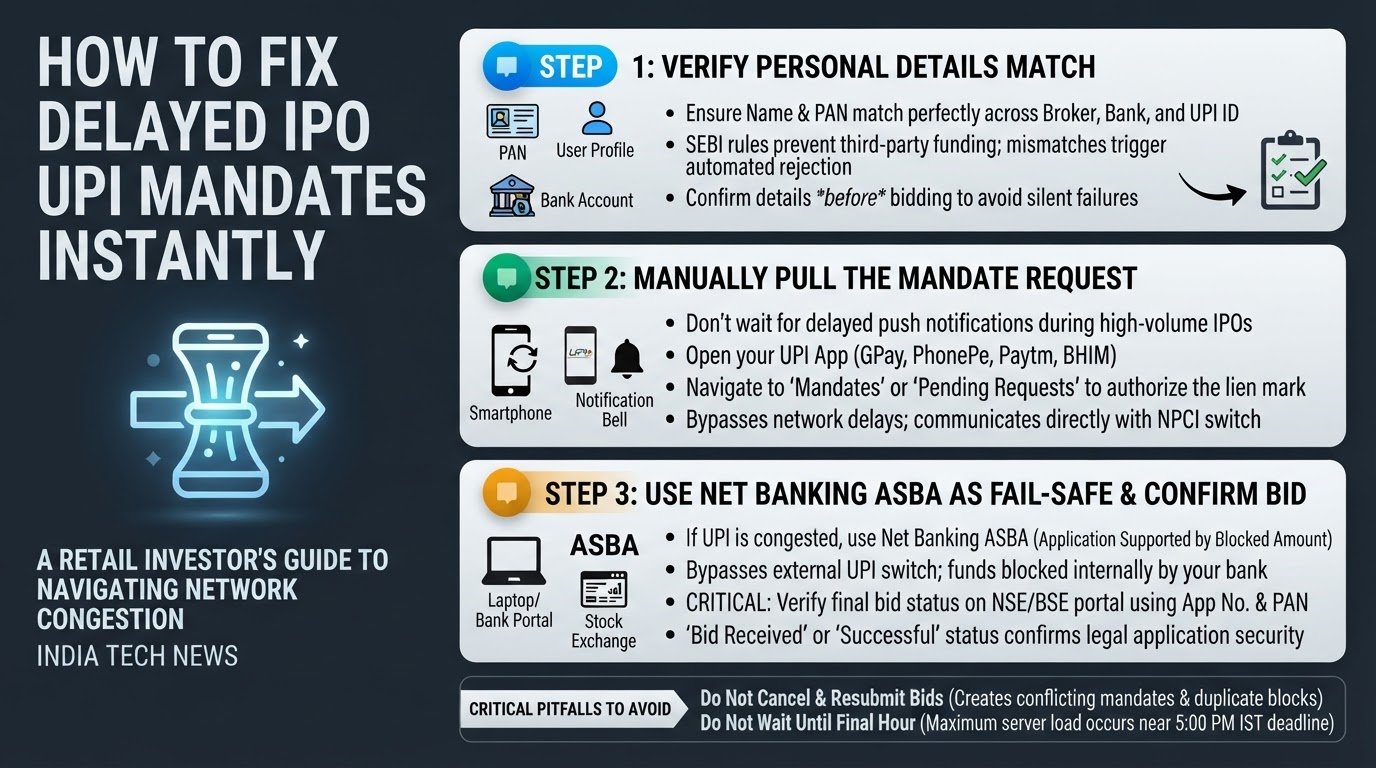
If you are caught in this bottleneck, you do not have to wait passively for a notification that might never arrive. You can take immediate control of the process by manually pulling the mandate, verifying your account details, or bypassing the UPI network entirely through net banking. With the surge in India tech news surrounding massive public listings, knowing how to navigate these digital payment hurdles is essential for every retail investor.
Here is how to troubleshoot and resolve UPI mandate failures and ASBA block delays step by step.
1. Verify Name and PAN Alignment
Before you submit or troubleshoot an IPO bid, you must ensure that your personal details match perfectly across all platforms. Automated regulatory rules established by the Securities and Exchange Board of India (SEBI) are designed to prevent third-party funding. This means the Permanent Account Number (PAN) linked to your Demat account must be identical to the PAN of the bank account and the UPI ID you use to authorize the payment.
If there is even a minor spelling mismatch in your name or a mismatch in the PAN, the system will silently reject the mandate request. Before bidding, open your broker profile and your bank app to confirm that your PAN and name match exactly. If they do not, do not use that specific UPI ID for your application, as it will trigger an automated rejection.
2. Manually Pull the Mandate Request
Many investors wait for a push notification to pop up on their phones. During high-volume IPO closings, these push notifications often fail to trigger. Instead of waiting, you should manually pull the mandate request from within your UPI application.
If you do not receive the notification within 30 minutes of submitting your bid, follow these steps:
- Open your preferred UPI application, such as Google Pay, PhonePe, Paytm, or BHIM.
- Navigate to your profile section or the settings menu.
- Look for "Mandates", "UPI Mandates", or "Pending Requests".
- If the broker has successfully registered your bid on the exchange, the pending mandate request will appear here.
- Tap on the pending request, verify the IPO name and the bidding amount, and enter your UPI PIN to authorize the block.
According to NPCI UPI troubleshooting guides, manually checking the mandate section bypasses the delayed push notification system and communicates directly with the UPI switch to complete the lien marking.
3. Use Net Banking ASBA as a Fail-Safe
If the UPI network is completely congested and you cannot generate or pull the mandate, you should abandon the UPI route and use your bank's Net Banking ASBA facility. ASBA stands for Application Supported by Blocked Amount. It bypasses the external UPI switch entirely by blocking the funds directly within your bank's internal database.
To use Net Banking ASBA:
- Log directly into your bank's official net banking portal.
- Locate the "Investments", "Demat", or "ASBA/IPO" section.
- Select the active IPO you wish to apply for.
- Enter your Demat details, which include your Depository Participant (DP) ID and Client ID.
- Enter your bidding details, such as the number of lots and the price.
- Submit the application. The bank will instantly mark a lien on the required funds.
Using the ASBA portal of major banks, such as the State Bank of India ASBA system, is the most reliable way to secure your bid when payment networks are overwhelmed. This is especially relevant during high-traffic periods, which are becoming more common as discussed in recent UPI developments.
4. Confirm Your Bid Status on the Exchange
Once you have authorized the UPI mandate or completed the ASBA block, do not rely solely on your broker app to confirm success. Broker apps can experience sync delays during peak hours.
To verify that your bid is officially registered:
- Locate your IPO application number from your broker app or the SMS confirmation sent by the exchange.
- Visit the official website of the National Stock Exchange (NSE) or the Bombay Stock Exchange (BSE).
- Navigate to the "Verify IPO Bid" or "IPO Bid Verification" page.
- Enter your application number and PAN.
- The exchange portal will display the exact status of your bid. If it shows "Bid Received" or "Successful," your application is legally secured and will be considered for allotment.
Critical Pitfalls to Avoid During High-Volume IPOs
When dealing with pending mandates, certain panic-induced actions can complicate your financial situation and lock up your funds unnecessarily.
Do Not Repeatedly Cancel and Resubmit Your Application
If your mandate is delayed, your immediate reaction might be to cancel the application on your broker app and submit a new one. This is a critical mistake. Every time you submit a new application, a new mandate request is generated. During network congestion, these requests queue up. You may end up with multiple conflicting mandate requests, and your bank may accidentally block duplicate amounts of money, freezing your savings for several days. Community discussions on Indian Street Bets and TradingQ&A show that resolving duplicate blocks can take up to two weeks after the IPO closes.
Do Not Wait Until the Final Hour
The final hour before the 5:00 PM IST closing deadline is when bank servers and the NPCI UPI switch experience maximum load. If you attempt to approve your mandate at 4:30 PM, you run an incredibly high risk of timeout errors. Always aim to submit your bid and authorize your mandate at least three to four hours before the closing window to allow the network ample time to process the lien mark.
By understanding the technical mechanics of the UPI mandate and utilizing ASBA as a reliable fallback, you can ensure your investment applications are processed smoothly without getting trapped in payment network bottlenecks.