You are standing at a local grocery store counter or trying to complete an urgent mutual fund investment online, and your screen freezes on a "Processing" message. Moments later, you are greeted with a bank server timeout error or a transaction failure notice. Your money has been debited from your bank account, but the recipient has received nothing. This is one of the most common anxieties for digital payment users in India today.
The immediate assumption is that your money has vanished into the digital void or that your chosen payment app is completely broken. However, the technical reality is much simpler. UPI transaction failures are almost always caused by temporary bank-end API timeouts, congestion on the National Payments Corporation of India (NPCI) servers, or local network latency that disrupts the secure cryptographic handshake between your payment app and your issuing bank.
The rapid scaling of digital wealth platforms and payment gateways has put immense pressure on traditional banking infrastructure. This growth is a major topic in India tech news, highlighting how daily transaction volumes test server capacities. While fintech platforms and Indian startups continue to build better digital systems, users still bear the brunt of occasional server crashes. According to CXO Digital Pulse, the massive influx of retail investors and daily transactors has made system reliability a critical focus for financial institutions.
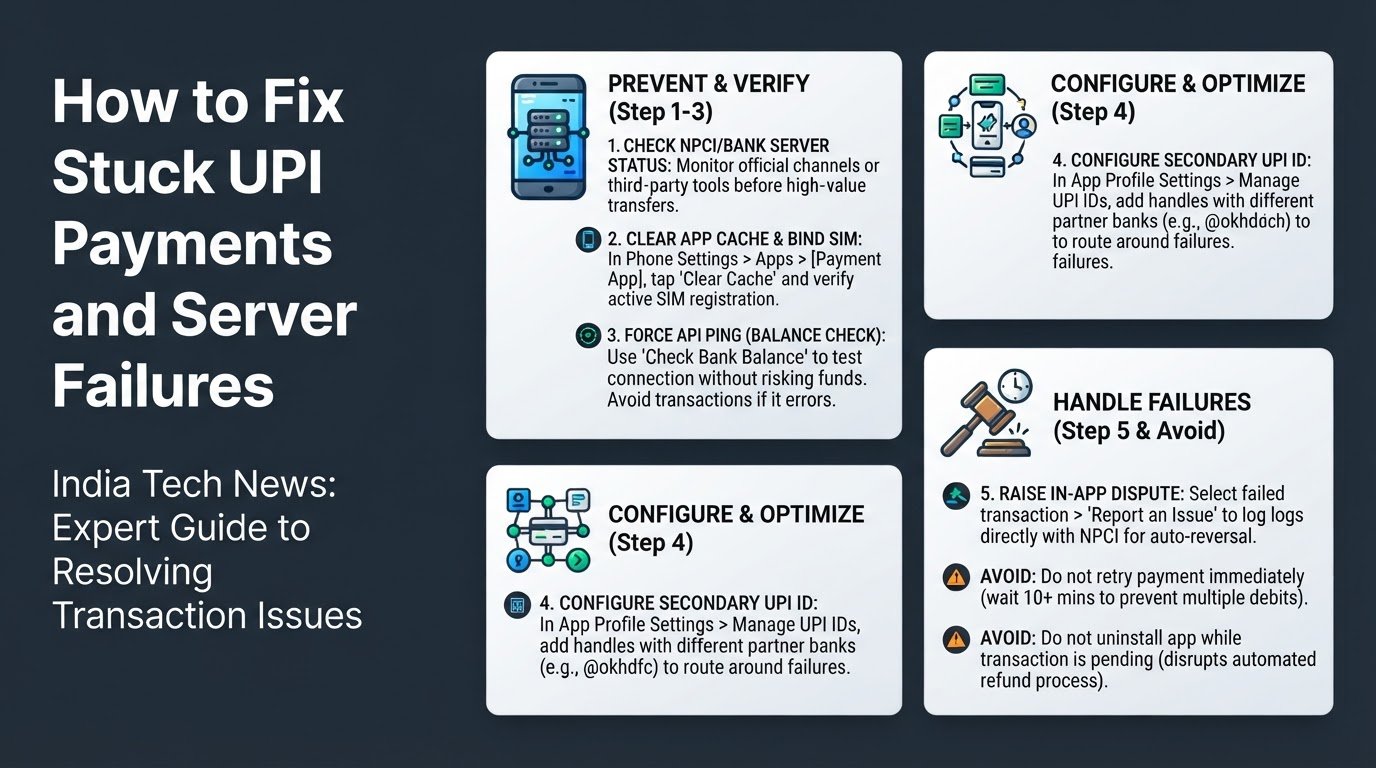
If you regularly face stuck payments or server timeouts, you can resolve and prevent these issues using five practical steps.
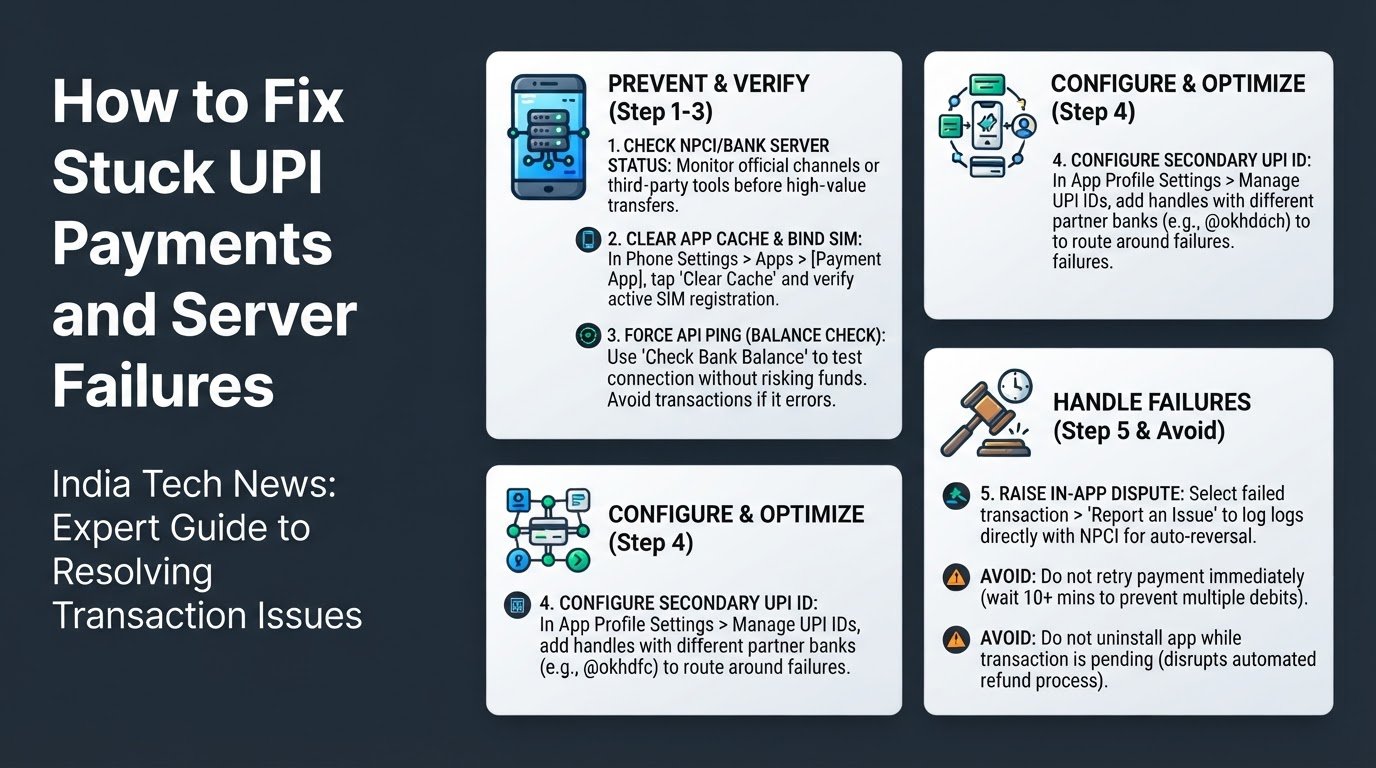
1. Check NPCI and Bank Server Status First
Before initiating any high-value transaction, verify if the payment network is functioning normally. When a bank's servers are down for scheduled maintenance or experiencing unexpected traffic spikes, initiating a payment will almost certainly lock your funds in a pending state.
You can check the official NPCI social channels or use third-party server monitors to see if your specific bank is experiencing downtime. If you notice a pattern of failures on your primary bank account during peak hours, it is best to postpone major transfers until off-peak times to avoid manual reconciliation delays.
2. Clear App Cache and Verify SIM Card Binding
Local software glitches on your smartphone can disrupt the secure communication required for UPI transactions. Your payment app must constantly verify your identity through a secure SMS handshake linked to the physical SIM card registered with your bank.
- Open your phone's Settings menu and navigate to the Apps section.
- Select your payment app (such as Google Pay, PhonePe, or BHIM) and tap on Storage.
- Tap Clear Cache. This removes temporary files (corrupted data that the app stores to load faster) without deleting your account details.
- Ensure that your registered SIM card is active in the primary SIM slot and has active SMS sending capabilities.
- Check the app permissions in your phone settings to confirm that SMS and Phone permissions are explicitly allowed.
3. Force an API Ping Using the Check Balance Feature
If you are unsure whether your bank's servers are responding, you can test the connection without risking your money.
Open your payment app and navigate to the Check Bank Balance option. Enter your UPI PIN to initiate a balance inquiry. This action forces a real-time API ping (a quick network test request) directly to your bank's servers. If the app displays your balance immediately, the server route is active and safe for transactions. If the balance check times out or displays an error, you know the bank's servers are currently unresponsive, and you should avoid sending money.
4. Configure a Secondary UPI ID
Most major payment apps allow you to create multiple UPI IDs linked to different partner merchant banks. For example, Google Pay partners with multiple banks to route transactions through different digital channels.
- Open your payment app profile settings.
- Select your linked bank account.
- Look for the Manage UPI IDs option.
- Add an alternative UPI ID extension (such as @oksbi, @okhdfc, or @okicici).
By setting up multiple handles, your app can automatically route your transaction through an alternative bank's merchant gateway if your primary route experiences a localized server outage.
5. Use the In-App Dispute Redressal Mechanism
If your money has been debited for a failed transaction, do not panic. The Reserve Bank of India (RBI) mandates strict timelines for auto-reversals of failed digital payments.
Open the transaction history in your app, select the failed payment, and tap on Raise Dispute or Report an Issue. This logs the transaction reference number directly with the NPCI system. If the app does not resolve the issue, you can visit the official BHIM UPI portal to file a direct dispute. Under RBI guidelines, most stuck funds are automatically refunded to your account within one to nine business days.
Common Mistakes to Avoid
When a UPI transaction fails, avoiding certain common reactions can prevent further financial complications.
- Do not retry the transaction immediately: If a payment is marked as pending, retrying it immediately often results in multiple debits once the bank's server queue finally clears. Always wait at least ten minutes or check your account statement before attempting the payment again.
- Do not uninstall the payment app while a transaction is pending: Uninstalling the app deletes your local transaction logs and disrupts the automated device-binding verification process. This makes it much harder for the app to automatically reconcile and refund your stuck money.
As financial institutions adopt new software solutions, including localized AI developments to predict server loads, UPI infrastructure will continue to improve. Until then, keeping your app cache clean, verifying server status, and utilizing secondary UPI handles remain your best defenses against digital payment disruptions.