You have submitted your IPO application on your broker app, but the UPI mandate request is nowhere to be found. The clock is ticking toward the 5:00 PM cut-off, and you are left wondering if your bid is active or lost in digital limbo. This is a common frustration for retail investors in India today, especially during highly anticipated public offerings that clog payment systems.
A "submitted" status on your brokerage app does not mean your IPO bid is active. The technical reality is that your bid is legally invalid and completely excluded from allotment unless you explicitly authorize the UPI mandate and block the funds in your bank account. If the mandate does not arrive, your application is dead in the water.
The surge in retail investing is a major part of the broader India tech news ecosystem. As digital payment infrastructure scales to handle millions of concurrent users, high-traffic network congestion remains a persistent bottleneck. During massive IPO launches, the National Payments Corporation of India (NPCI) and partner bank servers experience extreme request volumes, delaying the generation and delivery of UPI mandate requests to consumer apps, according to Jainam Support. While modern Indian startups continue to build high-speed financial tools, retail investors must understand how to navigate these payment bottlenecks manually.
If you are stuck waiting for an IPO authorization request, use these practical troubleshooting steps to secure your bid.
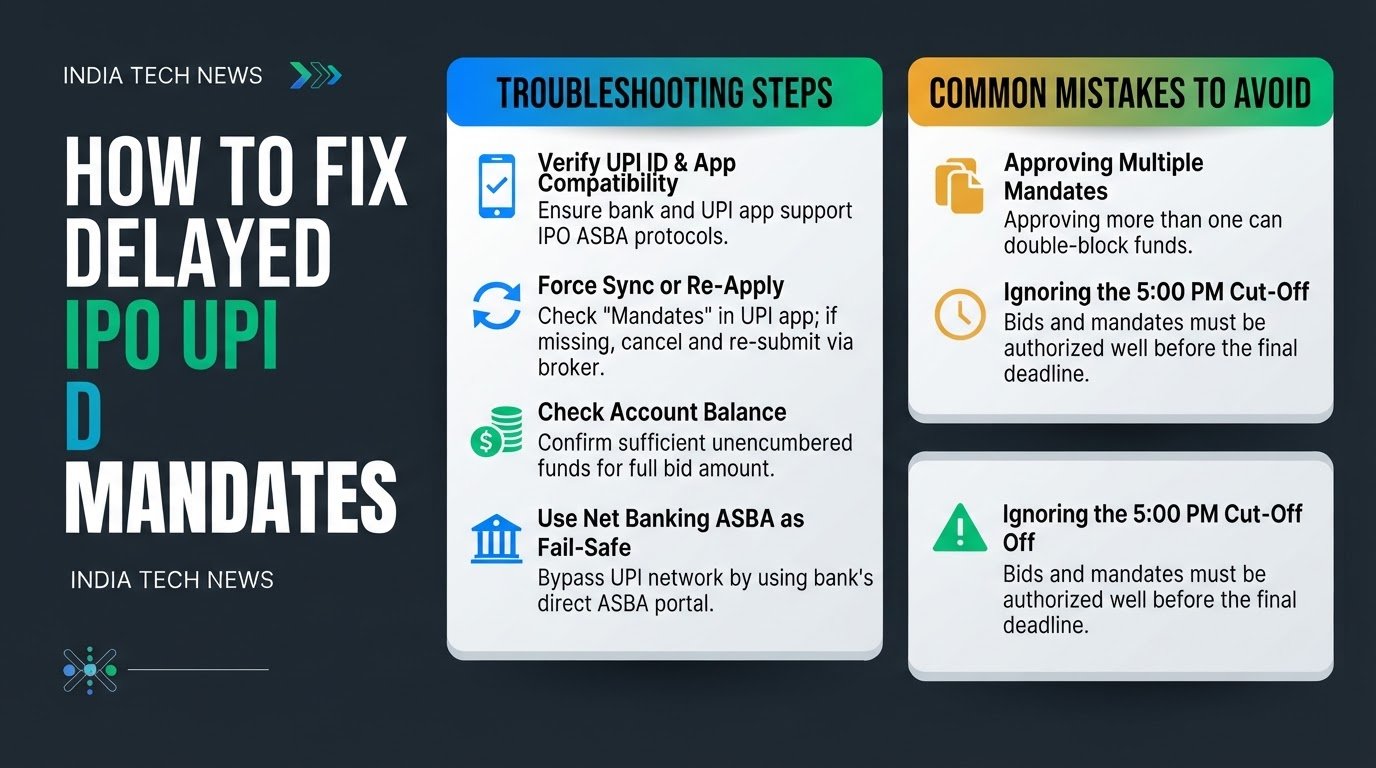
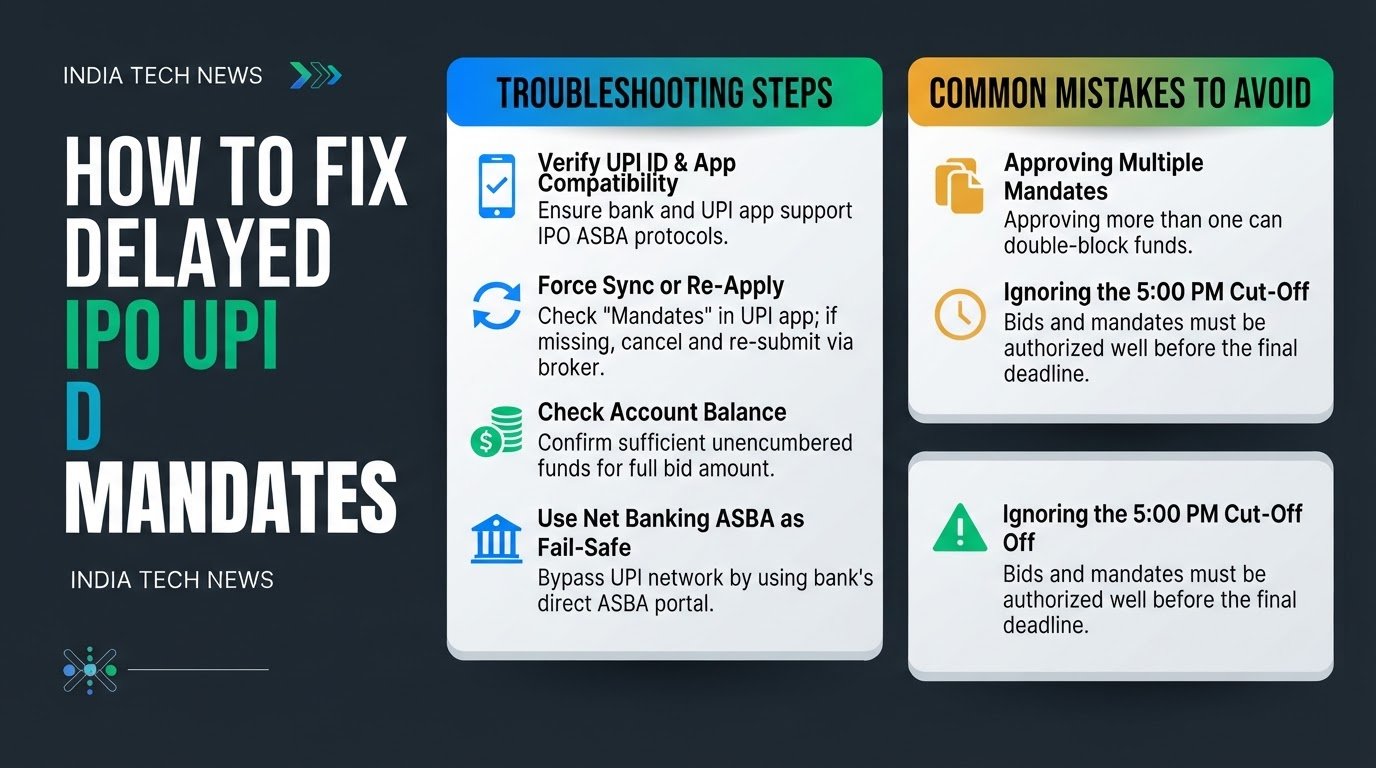
1. Verify UPI ID and App Compatibility
Before assuming there is a system-wide crash, verify that your UPI app and linked bank account are fully compatible with IPO bidding. The NPCI maintains a live partner list of banks and UPI apps authorized to handle IPO debt blocks.
Some third-party apps or newer digital bank handles do not support the specialized ASBA (Applications Supported by Blocked Amount) protocols required to freeze funds, according to Zerodha Support. If you are using an unsupported handle, the mandate request will fail silently without showing any error message. Ensure you are using a verified, mainstream UPI handle linked directly to a major public or private sector bank.
2. Force Sync or Re-Apply
If you do not receive the mandate notification within one hour of submitting your application, you need to trigger a fresh request, according to Groww Support.
First, open your UPI app and navigate directly to the "Mandates" or "Pending Requests" section. Sometimes, the push notification fails, but the request is waiting inside the app menu.
If the request is not there, log back into your brokerage platform, cancel your existing IPO application, and wait five minutes. After waiting, re-submit the application using a different UPI app handle if possible. This action forces your broker and the sponsor bank to send a brand-new request to the NPCI servers, bypassing the stuck queue.
3. Check Account Balance and Block Limits
Your bank will instantly reject an incoming mandate request if your account balance cannot cover the maximum bid amount, according to The Business Station.
Log into your mobile banking app and check your available, unencumbered balance. Ensure that the funds are not tied up in other active mandates, fixed deposits, or uncleared checks. Keep in mind that the bank must block the exact upper limit of your bid. If your account is even one rupee short of the required threshold, the payment gateway will block the transaction, and the mandate request will show as failed on your broker's dashboard.
4. Use Net Banking ASBA as a Fail-Safe
If UPI payment networks continue to experience delays as the 5:00 PM cut-off approaches, stop waiting for the mandate, according to TradingQ&A. You can bypass the UPI network entirely by using your bank's Net Banking portal.
Log into your bank's retail internet banking website and locate the "ASBA" or "IPO Application" section, usually found under investment or utility services. Enter your demat account details, including your depository participant ID and client ID, along with your bid details.
Submit the application directly. The bank will block the funds instantly within your account, bypassing the NPCI UPI router completely. This is the most reliable method when payment gateways face heavy traffic.
Common Mistakes to Avoid
- Approving Multiple Mandates: If you repeatedly cancel and re-apply to trigger a new request, you might receive multiple mandate notifications later when the servers catch up. Do not approve more than one mandate for the same IPO application. Doing so can cause your bank to double-block your funds, locking up your capital until the official mandate expiry date.
- Ignoring the 5:00 PM Cut-off: The stock exchanges enforce a strict cut-off time for bid modifications and mandate approvals on the final day of the IPO. Even if your broker allows you to submit a bid at 4:45 PM, the UPI network might not process the mandate in time. Always complete your application and approve the mandate well before the final hour to avoid missing the allocation window.