You are trying to log into a local utility portal, an online banking page, or an Indian startup platform, and your browser suddenly blocks you with a glaring red warning screen: "Your connection is not private." If you are a developer, your terminal might suddenly be flooded with certificate validation errors during routine API calls.
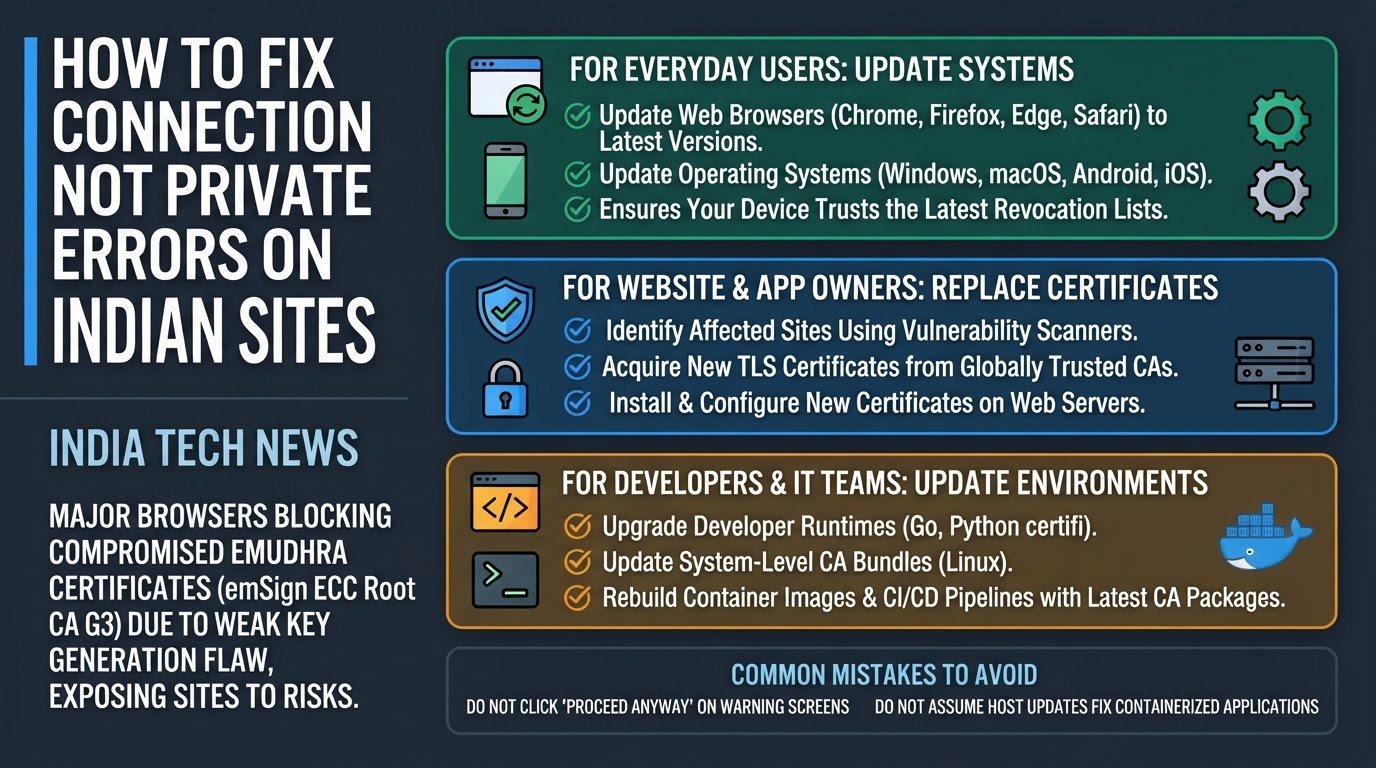
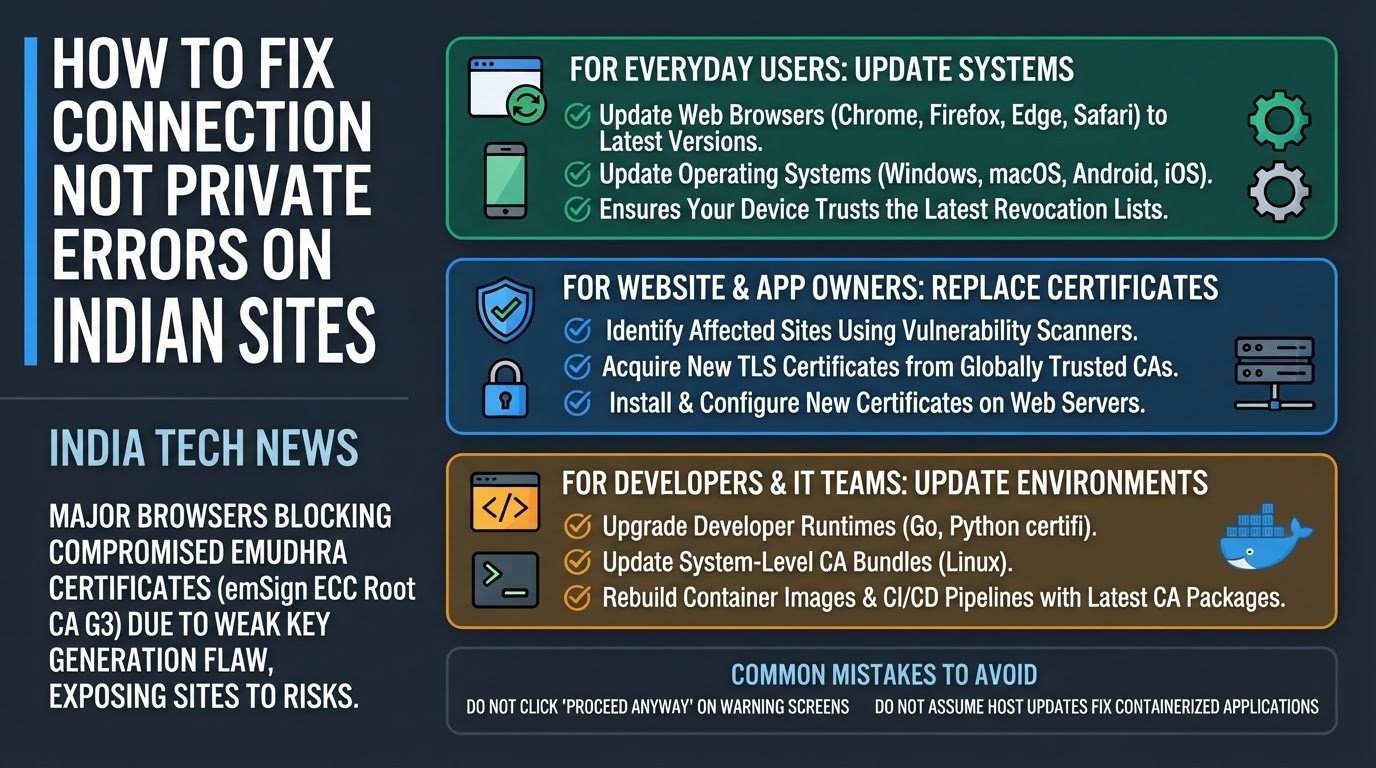
This is not a random glitch on your device. Major global web browsers, including Google Chrome, Apple Safari, Mozilla Firefox, and Microsoft Edge, are actively blocking and stripping trust from security certificates issued by eMudhra, a prominent Indian digital identity and certificate authority. The block targets eMudhra's emSign ECC Root CA G3 and its linked intermediate certificates. This means any website or application relying on these certificates is now flagged as insecure, exposing users to severe data interception risks.
In the broader scope of India tech news, this security crisis has sent shockwaves through the corporate and startup sectors. For a quick overview of how this fits into current domestic tech challenges, you can read our coverage on the India & Global Tech Pulse: UPI Protest, Fitbit Air, and Gemini 4. As businesses scramble to secure their platforms, verifying the underlying infrastructure of the digital tools we use daily has never been more critical. This is especially true for emerging enterprises, as detailed in our guide on how to verify Indian tech and AI startup claims.
Why did this happen? The issue traces back to a critical flaw in eMudhra's key generation ceremony (the highly secure process where cryptographic keys are created) on April 30, 2025. During this event, a technical error in a wrap/unwrap step caused the system to generate incredibly weak P-384 security keys. Instead of producing keys with 384 bits of entropy (a measure of cryptographic randomness that makes keys impossible to guess), the system produced keys with a mere 3 to 8 bits of entropy.
According to security researchers at Aikido, one of the private keys generated was literally the number 4. This microscopic level of security makes private-key recovery trivial for hackers. With these weak keys, an attacker can easily forge trusted certificates for almost any domain, allowing them to execute man-in-the-middle attacks (where an unauthorized third party intercepts and reads your encrypted data). As a result, eMudhra is reportedly planning to exit the global SSL/TLS business entirely, as reported by The Hacker News.
1. Update Web Browsers and Operating Systems Immediately
For everyday internet users, your primary defense is to ensure your web browser and operating system have the latest security updates. Browser and OS creators are pushing Certificate Revocation Lists (CRLs) and blocklists to automatically reject the compromised eMudhra certificates.
- Open your web browser settings (Chrome, Firefox, Edge, or Safari) and check for updates. Restart the browser to apply them.
- Update your operating system. On Windows, go to Settings, select Update & Security, and click Check for updates. On macOS, go to System Settings, General, and select Software Update.
- Update your mobile devices. Ensure your Android or iOS device is running the latest system software, as mobile operating systems maintain their own root certificate stores.
2. Replace Affected Certificates (For Website and App Owners)
If you manage a website, an online store, or an enterprise portal that uses certificates chained to the emSign ECC Root CA G3, you must replace them immediately. Visitors will continue to see security warnings until you do.
- Identify if your site is affected. You can use external vulnerability scanners to check your current certificate chain.
- Acquire a new TLS certificate from a globally trusted Certificate Authority that is recognized by the Google Root Store or other major browser programs.
- Install the new certificate on your web server and configure it to use the new chain, completely removing the old eMudhra intermediate certificates.
3. Update Developer Runtimes and CA Bundles
Developers and system administrators cannot rely solely on operating system updates. Many programming languages and developer tools use their own independent lists of trusted certificates (CA bundles).
- If you build or run Go applications, upgrade your environment to Go 1.26.10 or Go 1.27.3, which contain updates to handle the untrusted roots.
- If you work with Python, update the certifi package (the tool Python uses to verify certificates) to version 2026.10.19 or later using your package manager:
pip install --upgrade certifi. - Update your system-level CA bundles. On Linux servers, run your package manager updates (such as
apt-get update && apt-get install --only-upgrade ca-certificateson Debian/Ubuntu) to strip the compromised roots from the system trust store, as recommended by Qualys.
4. Rebuild Container Images and CI/CD Pipelines
For teams running applications in cloud environments, updating the host server is not enough. Containerized applications carry their own internal security environments.
- Open your Dockerfiles or container configuration files.
- Trigger a clean rebuild of your Docker or OCI container images. Ensure the build process pulls the latest
ca-certificatespackage from your base image repository rather than relying on cached, outdated layers. - Update your CI/CD pipelines to run automated scans on container images, checking for the presence of the revoked eMudhra intermediate keys before deployment.
Common Mistakes to Avoid
- Clicking past browser warnings: When a browser blocks a site with a "Your connection is not private" message, do not click "Advanced" and "Proceed anyway." Doing so bypasses the block and leaves your passwords, personal details, and financial data open to interception on a compromised connection.
- Assuming host updates fix everything: A common oversight for developers is assuming that updating Windows or macOS automatically secures their development environment. Language-specific runtimes (like Python or Node.js) and containerized systems run on separate trust stores and must be updated individually to ensure complete protection.